See where your money goes
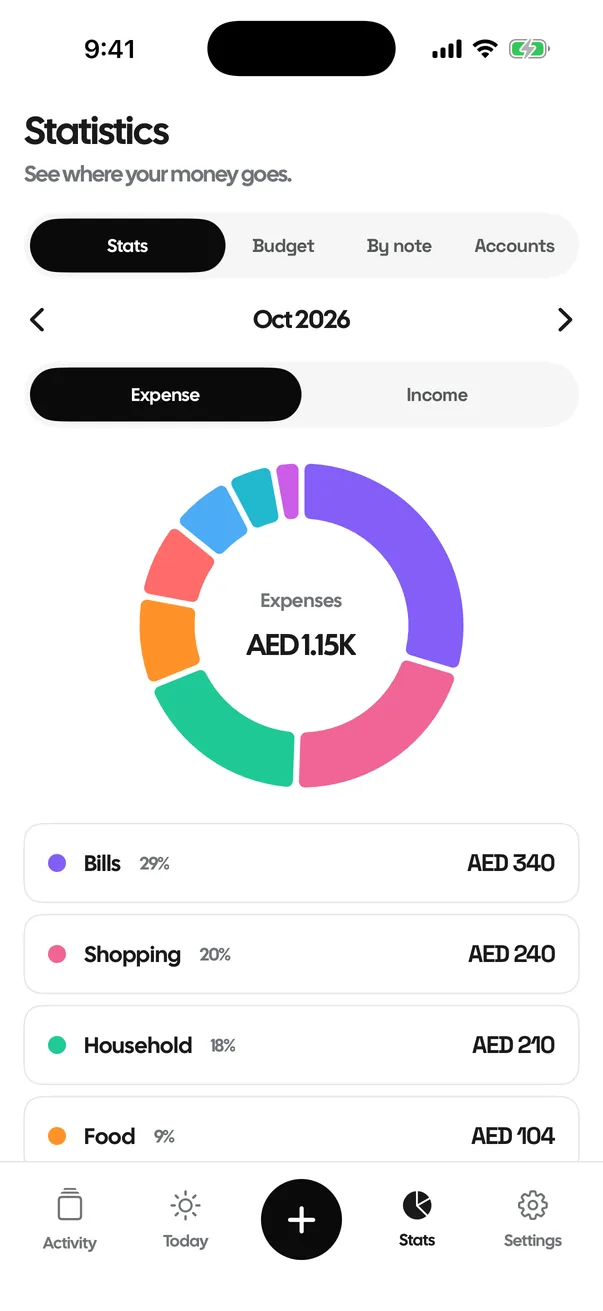
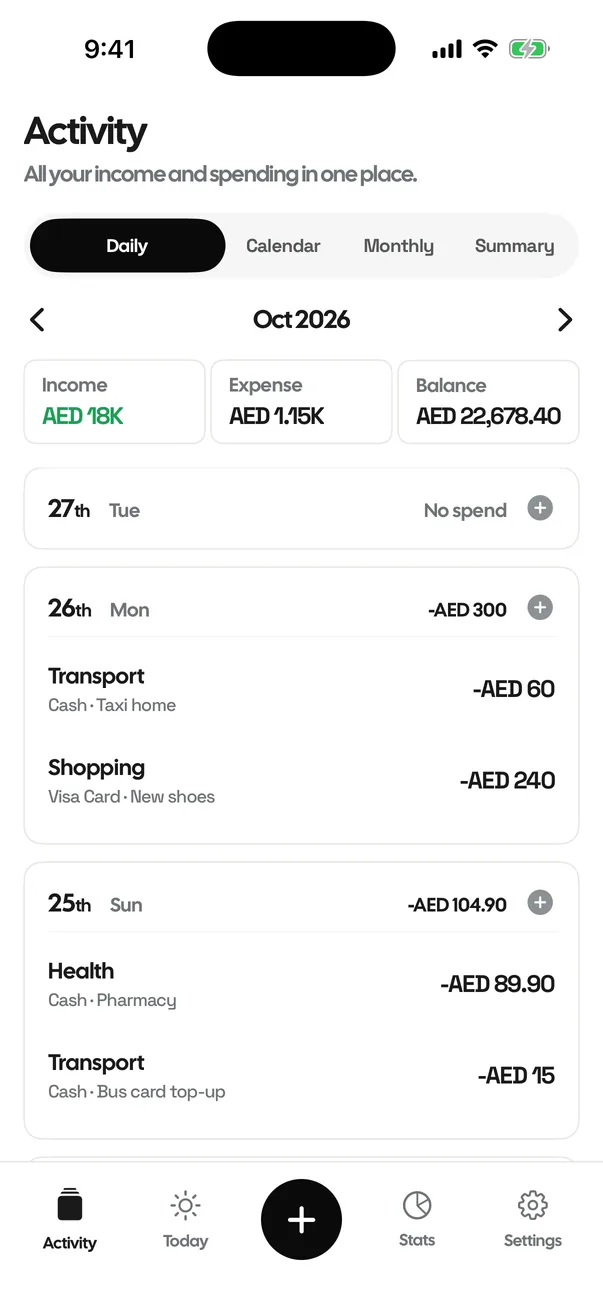
Log a spend in two taps. Activity lists every expense by day; Stats shows where it went and how this month compares.
Your spending against an even pace to month-end.
Where you'll land if you keep going like this.
And your longest run of them.
Logging an expense
Tap +, type the amount, pick a category and you're done. Add a note, an account or a different date if you like. Income and transfers between accounts work the same way.
Activity
Every income and expense, grouped by day with the newest first, plus the month's income, expenses and balance at the top. Switch to Calendar, Monthly or Summary to see the same spending another way, and tap any entry to edit it.
Stats
A breakdown of the month by category, with fixed bills shown separately because they're already set aside. Below it, insight cards:
- Daily spending: your average per day, against your limit.
- Budget pace: spent so far against an even pace for the month.
- Projected month-end: where you'll land at this pace.
- No-spend days: and your longest streak of them.
- Biggest expenses and Vs last month, by category.
- Fixed vs flexible, Savings rate and Spending by account.
- Net worth and Income vs expense over the last six months.
- Most frequent: what you log most often.
Category budgets, notes and accounts
The Budget tab lets you set a monthly budget for any category and shows how much of it you've used. By note groups the month by the note you gave each transaction, so you can see everything you spent on Lunch or Taxi regardless of category. The Accounts tab shows balances and net worth: what you hold minus what you owe on cards and loans.
Activity, four ways
Daily lists every day with its transactions. Calendar shows each day's total on a month grid. Monthly shows income, spending and the net for each month. Summary shows the month's totals by category. The Balance box at the top shows the money in your accounts, like your bank does.
Questions
What is a no-spend day?
A day on which you logged no spending of your own. Bill payments do not count against it.
Why are fixed bills shown separately in Stats?
They are already set aside in your budget, so the spending charts focus on the money you choose how to spend. Bills still count in your totals and balances.

Track every expense in two taps.
FreeNo accountNo adsData stays on your iPhone