Everything MoneyBook does.
Log every expense in two taps, see where your money goes, and stay on top of bills, rent and car costs. All private on your iPhone. Free, with optional tips.
- FreeNo subscription
- No accountNo sign-up or login
- No adsEver
- Works offlineNo internet needed
- Face ID lockOnly you can open it
- Any currencyEvery ISO currency
Log it before you forget it.
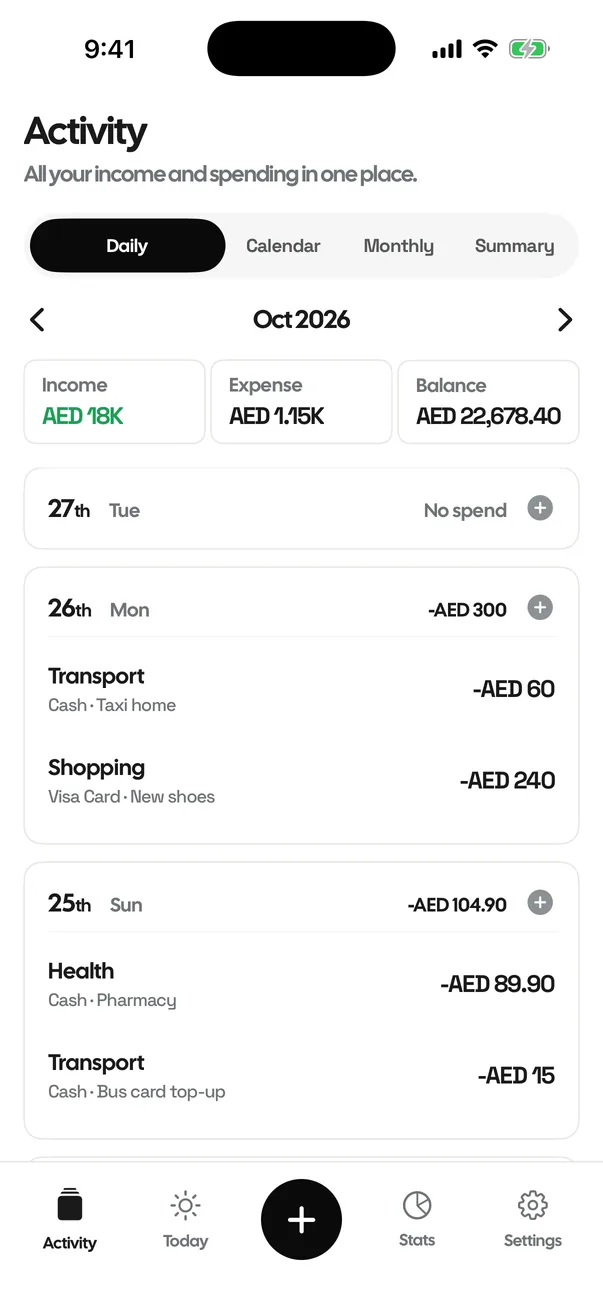
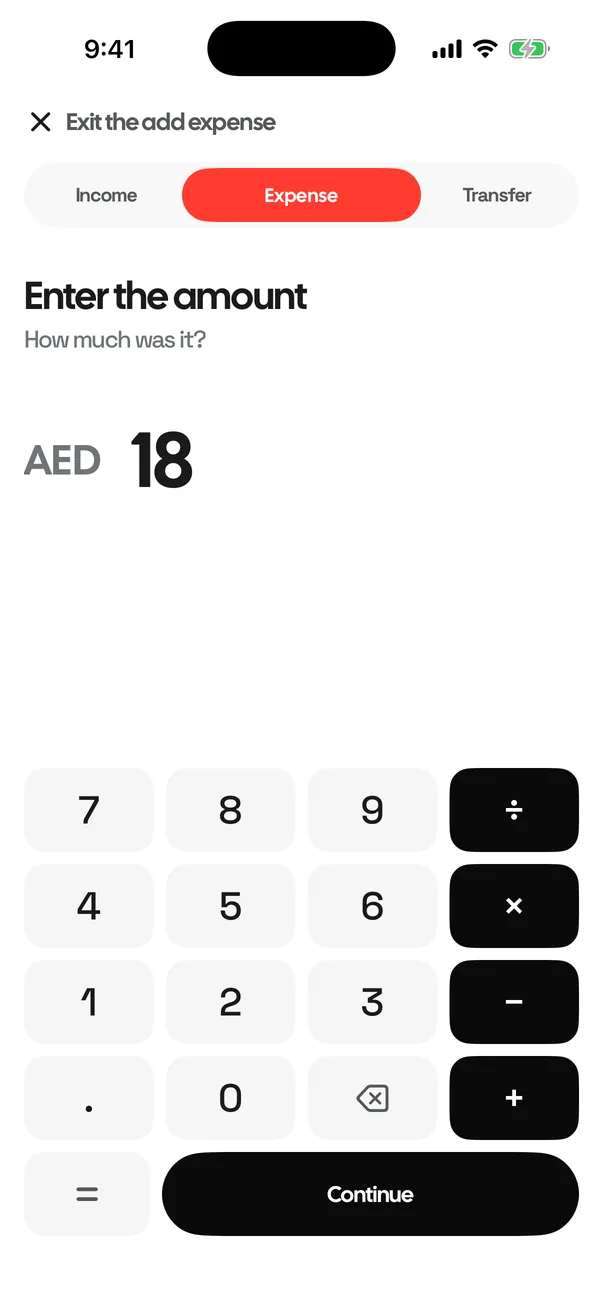
Tap +, type the amount, pick a category. It lands in Activity under today, newest first, and every total updates.
Expenses and statsSmall app. Thought through.
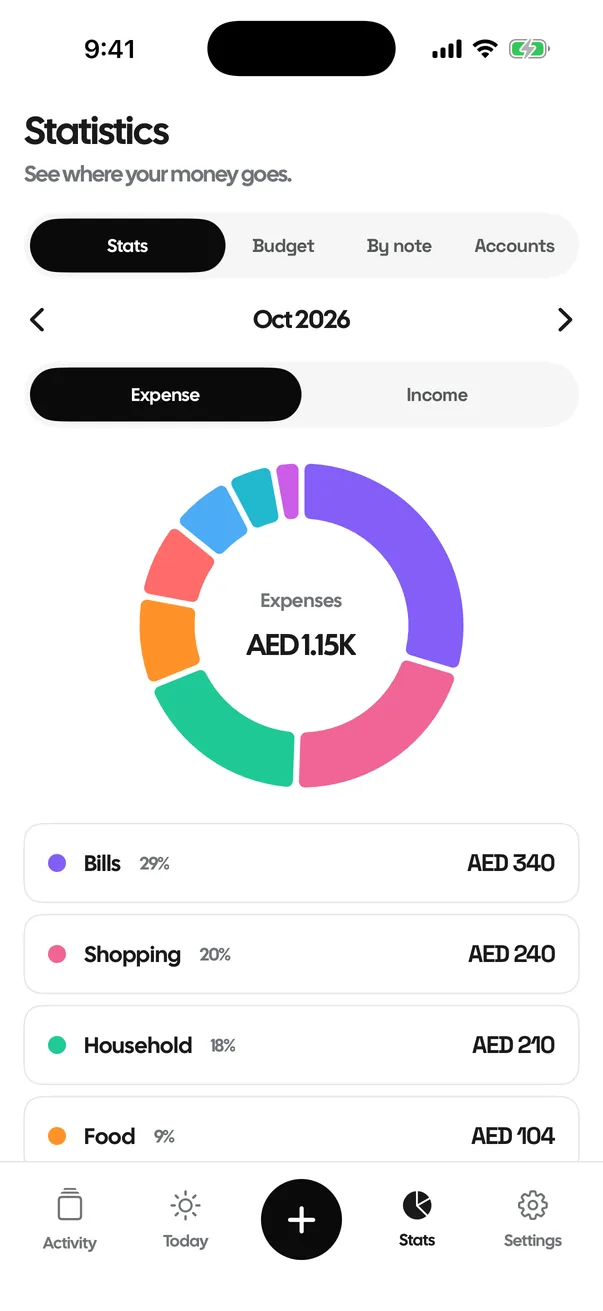
Expenses and stats
Every spend by day and by category, with pace, projections and no-spend days.
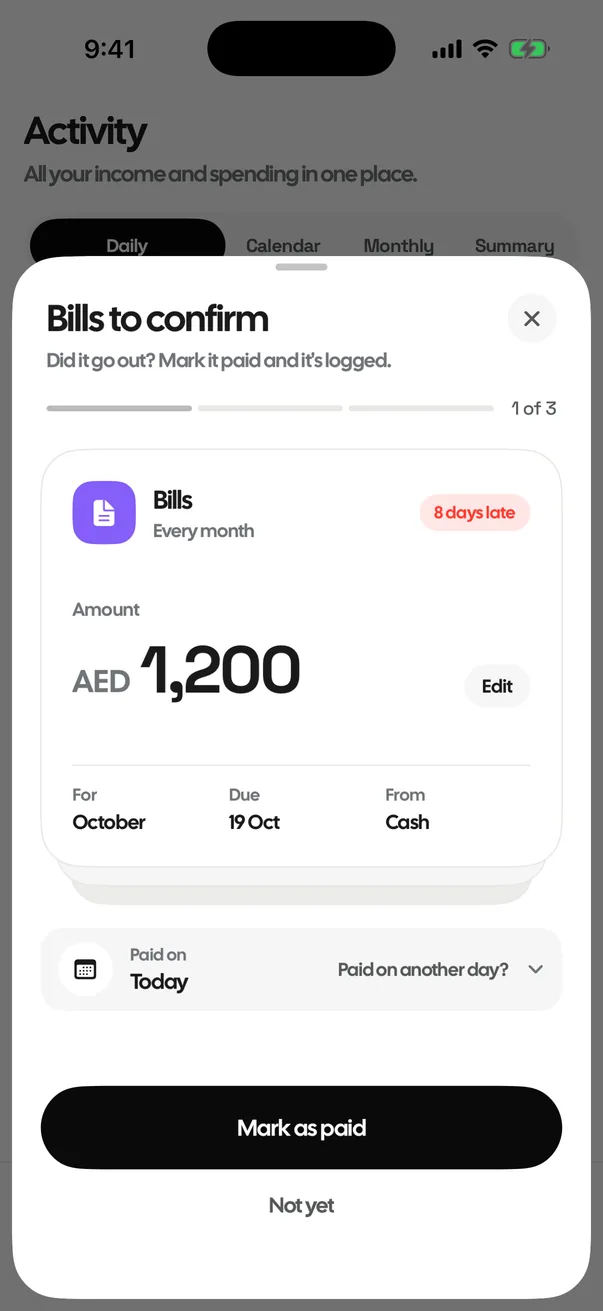
Bills and reminders
Set aside first, reminded on the day, logged when you say so.

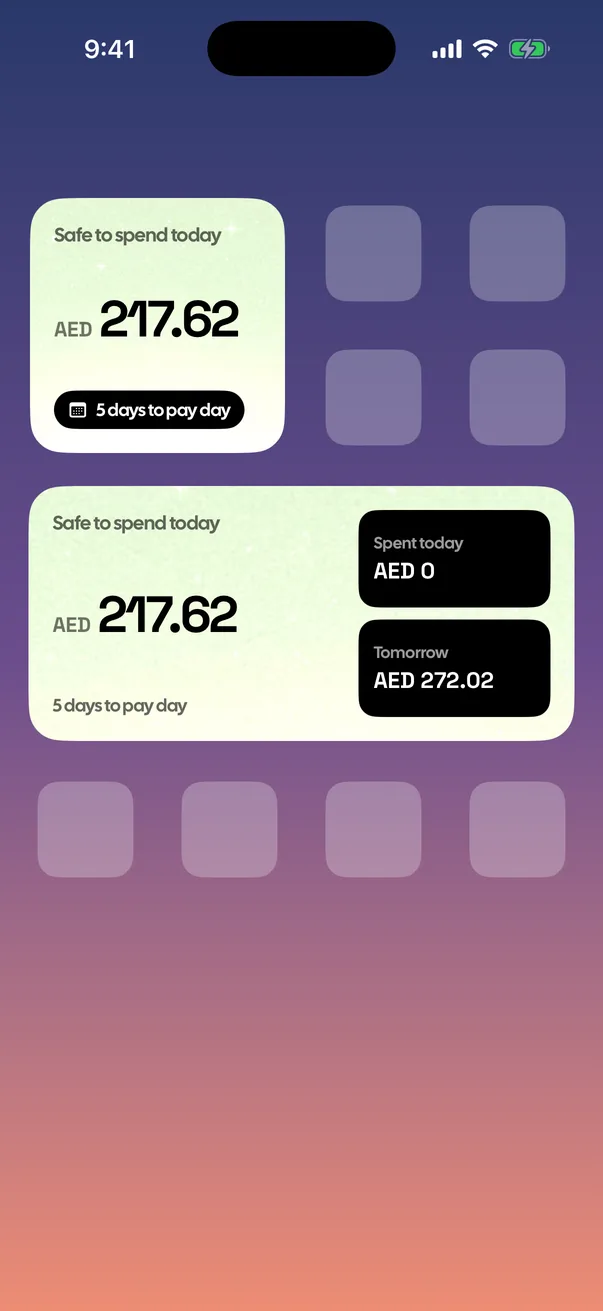
Widgets
Nine widgets for the Home Screen and Lock Screen.
set aside monthly
Rent space
Yearly rent and cheques, set aside evenly every month.
Car expenses
Fuel, Salik, Darb, parking and more, in their own space.
Face ID and privacy
No account, no ads, nothing leaves your phone.
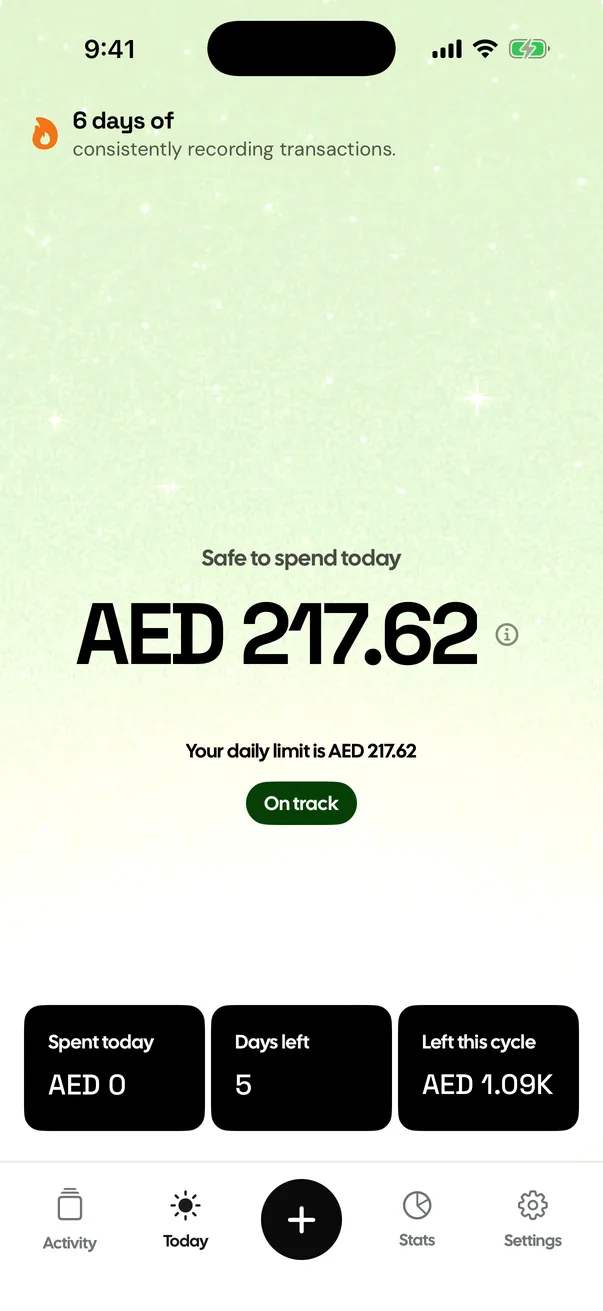
Safe to spend today
Optional: a daily number worked out from your pay, bills and pay day.
after 6 years
UAE gratuity
Your end-of-service gratuity, kept up to date every day in the app.
Every screen, as it really looks.

What it doesn't ask for.
Most budget apps want an account, a bank login or a subscription before you log a single coffee. MoneyBook asks for none of that.
| MoneyBook | Many budget apps | |
|---|---|---|
| Account or sign-up | Not needed | Usually required |
| Bank login | Never | Often asked for |
| Ads or trackers | None | Common |
| Where your data lives | Your iPhone | Their servers |
| Works offline | Yes | Sometimes |
| Price | Free, optional tips | Often a subscription |
Is every feature on this page free?
Yes. Everything listed here is free, with no ads and no subscription. You can leave an optional one-time tip; it unlocks nothing.
Does MoneyBook connect to my bank?
No. You log each spend yourself in two taps, so there is no bank login and nothing leaves your iPhone.
Which iPhones does it work on?
Any iPhone on iOS 17 or later.
Can I get my data out?
Yes. Export everything as a CSV file from Settings whenever you like.
Does it work with my currency?
Yes. Every ISO currency is listed in Settings, with search.

Track every expense in two taps.
FreeNo accountNo adsData stays on your iPhone